UX Research

Product Design

DesignOps

Storybook

Enterprise

B2B

"Atlas" Where the system proved itself.
Real complexity. Real stakes.

Company

Worten (Sonae Group)

Worten
(Sonae Group)

Role

Senior Product Designer

Period

Aug 2025 - Present

Industry

Retail / B2B Operations

Grid of six Atlas platform screens displayed on monitors,  showing the breadth of the redesigned ecosystem: Create  proposals form with structured sections (General data,  Proposal summary, Business partner, Documents, Shipping  address, Orders), Returns list with filters and status  badges, My account profile page, Location block  configuration with block reason and replenishment  indicator, Sale details with product information and  return details, and a Returns detail page showing the  full lifecycle timeline and a 403 access restriction  error state. All screens built with RISE components.

167+

167+

Daily users

Of the designers report saving
significant time vs. before

24+

Active modules

18+

Components documented

Components built from foundations
to complex patterns

__

The problem

__

The problem

__

The problem

One platform. Dozens of teams. No shared rules.

One platform. Dozens of teams. No shared rules.

Context
Atlas is Worten's central backoffice — running everything from commercial proposals to logistics and access control. Dozens of development teams build inside it simultaneously, each making independent decisions about components and patterns.

Atlas" is a pseudonym. The real product name has been changed for business confidentiality and GDPR compliance.

Before and after comparison of the Atlas B2B Orders list  page on a laptop mockup. Before: a dense table with  minimal visual hierarchy, no status differentiation,  and limited filter options showing 20 of 4,793 results.  After: a redesigned list with clear status badges  (Failed, Suspended, Pending, Creating order, Delivered),  improved filter structure with Less filters toggle,  and a prominent Create new proposal action — built  with RISE components.

The impact
Operators inserting everything manually.

Proposals blocked by system errors.

12 clicks to approve something the user themselves had initiated.

Communication replaced by parallel Teams channels and email chains.

The friction wasn't random: it clustered into four themes — Usability, Processes, Data, and Communication — accounting for 80% of daily friction.

The impact
Operators inserting everything

manually.

Proposals blocked by system errors.

12 clicks to approve something the user

themselves had initiated.

Communication replaced by parallel

Teams channels and email chains.

The friction wasn't random: it clustered into four themes — Usability, Processes, Data, and Communication — accounting for 80% of daily friction.

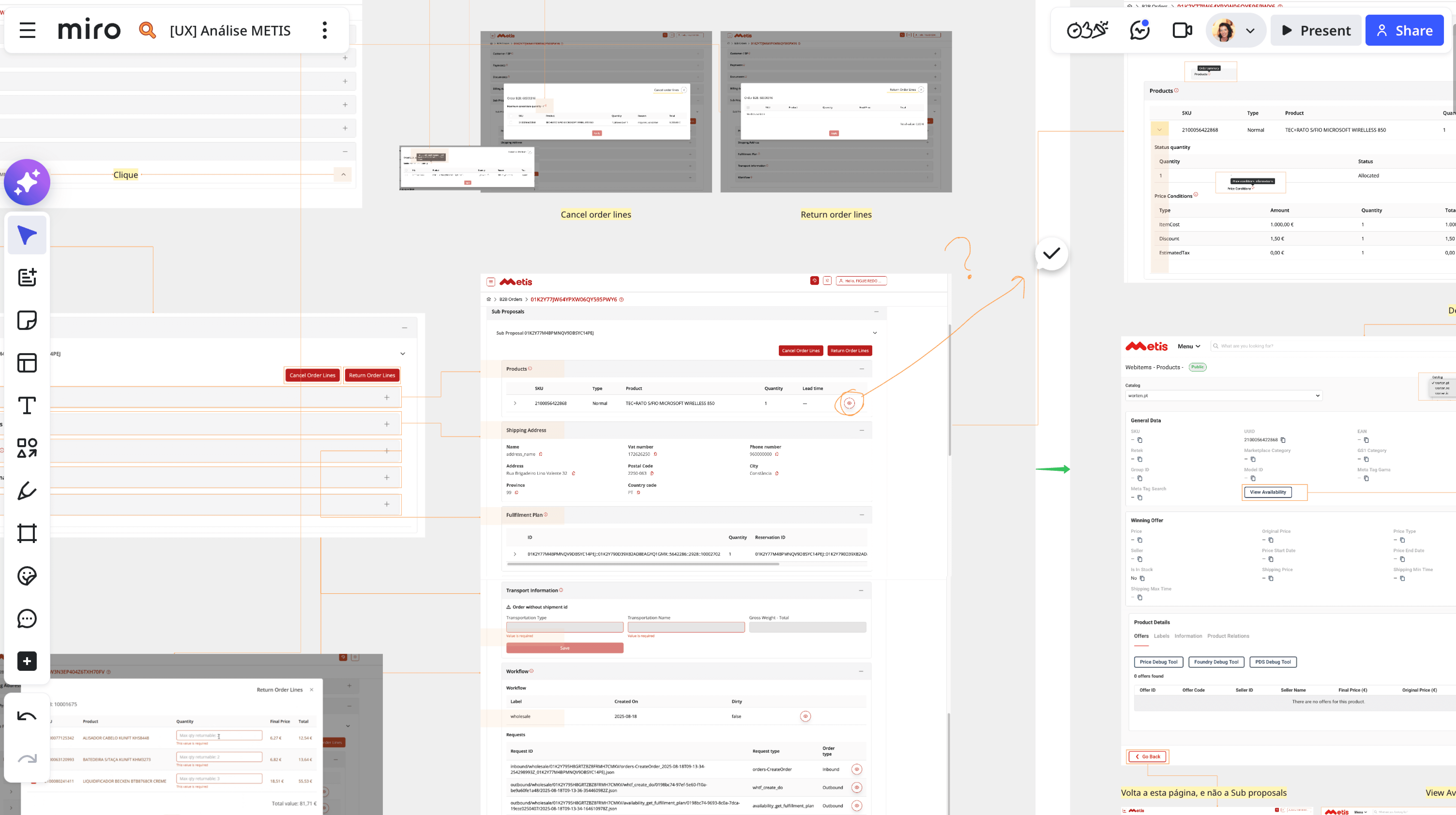
Miro board showing UX analysis of the Atlas B2B Orders  and Returns modules. Top centre: annotated screens  comparing Cancel order lines and Return order lines  flows. Centre: Sub Proposals detail page showing  products table with SKU, type, product name, quantity  and lead time, shipping address, fulfilment plan,  transport information with a missing shipment ID error  state, workflow label, and requests list. Bottom left:  Return order lines modal with product list and quantities.  Right: Webstores Products page showing general beta data,  winning offer details, and product details with offers,  labels, information, and product relations tabs — used  to map existing patterns and inform redesign decisions.

__

The hard decisions

__

The hard decisions

__

The hard decisions

These are the decisions that defined the approach.

These are the decisions that defined the approach.

1

Start with the most painful module, not the most visible

Chose the CMP — Atlas's most critical and most broken module — as the pilot. Not because it was easy to show, but because fixing it would prove the approach worked under real pressure.

✓ Full stakeholder buy-in

✓ Zero roadmap conflicts
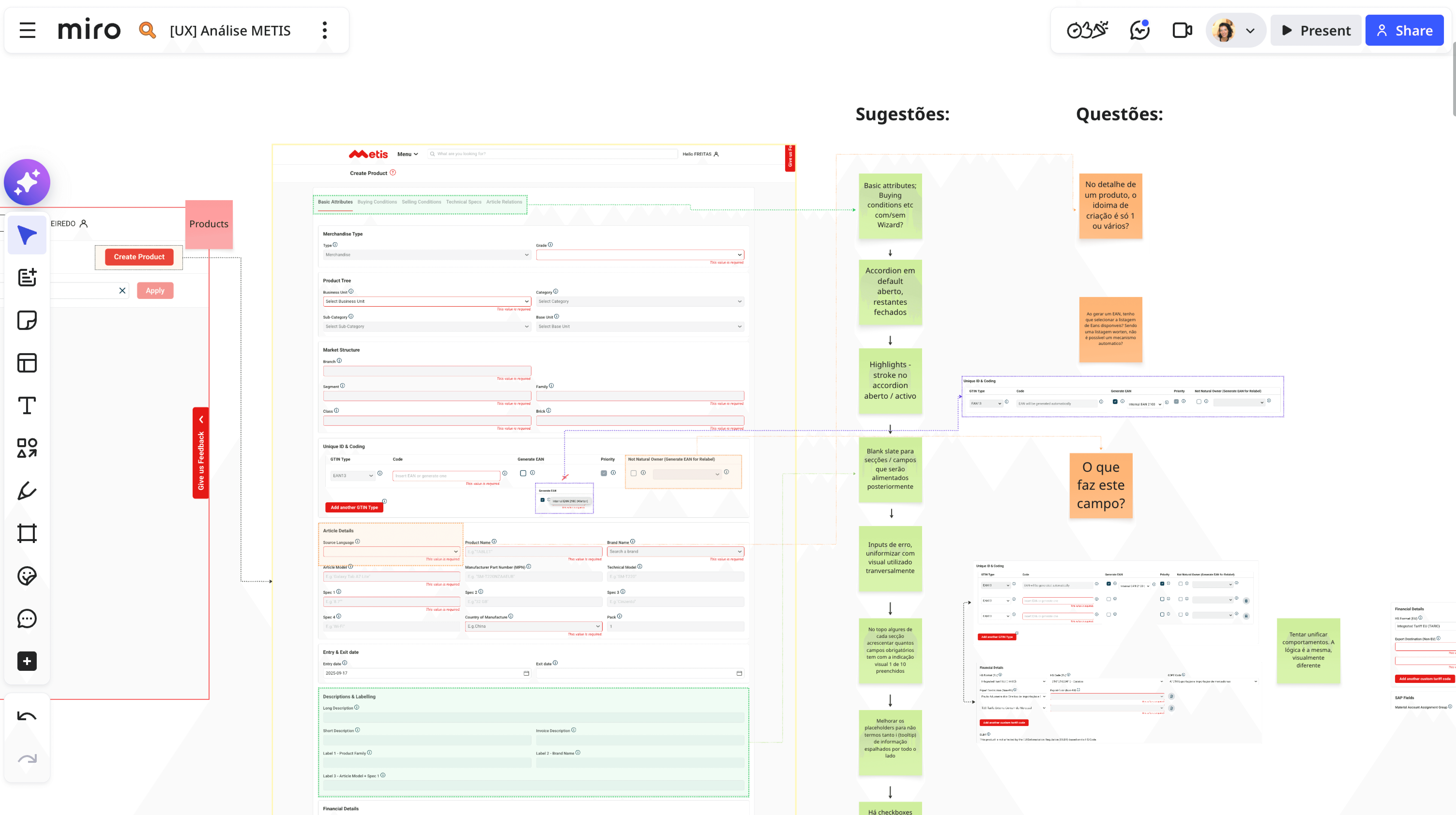
Miro board showing UX analysis of the Atlas Create  Product module. Left: annotated screenshot of the  existing form with sections for Basic attributes,  Buying conditions, Selling conditions, Technical specs,  Article definitions, Merchandise type, Product tree,  Market structure, Unique ID and coding, Article details,  Entry and exit date, and Descriptions and labelling.  Right: two columns of suggestions (green sticky notes)  and open questions (orange sticky notes) — covering  accordion behaviour, highlights, blank slates, input  error states, placeholder text, and field logic —  used to guide the redesign decisions.

2

Research before redesign — always

Ran structured interviews across commercial teams and approvers before touching a single screen. Mapped the AS IS journey with painful precision.

✓ 95% adoption across teams
Before and after comparison of the Atlas Proposals B2B  detail page. Before: a fragmented layout with scattered  fields, inconsistent spacing, and no clear visual  hierarchy — showing Master proposal ID, Business area,  Sub channel, VAT number, and SAP customer number in an  unstructured form. After: a redesigned detail page with  clear section structure — General data with auto-filled  requester and business information, and Proposal summary  with a sortable product table showing SKU, quantity,  price without VAT, discount, VAT rate, and final price  — built with RISE components.

3

Make knowledge infrastructure non-negotiable

Built the Confluence documentation layer in parallel with design — not after. Because good design that disappears is just expensive waste.

✓ Accessibility standards

Confluence Atlas | Produto documentation page showing  the introduction section and four content areas:  Experience alignment (covering 7 product phases),  Atomic and transversal components, UX Writing and  content, and Profiles and access. The left sidebar  shows the full documentation structure within the  COEUX space — the single source of truth for the  entire Atlas ecosystem, designed to be found,  understood, and acted upon by any designer, developer,  or product owner.
RISE Button component showing all six interactive states: Default (solid  red), Hover (slightly darker red), Pressed (darker still), Disabled (grey,  reduced opacity), Loading (red with spinning indicator), and Focus (red  with cyan outline). All states show a "Download file" label with a left  icon. A Figma Dev Mode panel connected to the Default state exposes  its design tokens: height 56px, width 171px, corner radius r-border- radius/xs, gap r-spacing/3xs, padding r-spacing/sm, fill  ...rimary/default, component properties Button=Primary, State=Default,  Size=lg (56), Mobile=False, Color=Default. Toggle controls on the right  show Icon-left enabled, Icon-right and Count-badge disabled.

__

The process

__

The process

__

The process

Track 1: Understanding the problem

Before designing anything, I needed to understand what was actually broken — from the people living inside it every day.

We started with the CMP — one of Atlas's most critical and most painful modules. It handles everything from B2B proposal creation to stock validation and approval workflows. Multiple user profiles, high stakes, and a backlog of friction accumulating for years.

AS IS → TO BE diagram mapping five core CMP flows.  Each flow shows current pain points in orange and  ideal future state in green. Criação de proposta:  manual data entry and Excel imports → auto-fill from  NIF with real-time stock and pricing. Verificação de  stock: process blocks stock awaiting approver via  Teams → stock confirmation button before submission  with automatic adjustment options. Aprovação de  propostas: approver opens each process individually,  duplicate emails → bulk multi-select approval with  one consolidated notification. Comunicação e feedback:  no automatic notifications, parallel Teams  communication → automatic notifications and centralised  history without Teams. Finalização e controlo: manual  article removal, duplicate addresses, Excel reimport  → automatic batch removal, clean address base,  consolidated export in one click.

Track 2: Designing the TO BE

Research without a direction is just documentation. I translated the pain clusters into six UX principles that would guide every redesign decision going forward.

Audited 7+ B2B products, identified 40+ unique components doing the same things differently.

→ Fewer clicks, more efficiency

Every flow should be as short as possible. Context and filters persist to avoid repetition.

→ Real-time visibility

Stock and status always visible before any submission. No more blind decisions, no more parallel communication channels.

→ Automation wherever possible

Auto-fill client data from NIF. Remove articles without stock automatically. Stop making users reimport Excel files to fix problems the system created.

→ Immediate, integrated feedback
Centralised notifications inside Atlas. Clear error messages when something fails. No more silence.

→ Consolidated, contextual flows
Avoid dispersion. Bulk approvals, parent/child proposal structures, multi-select actions — all in the same window.

-> Flexibility without overload
Allow exceptions and business variations without breaking the base experience or overwhelming the user.

These six principles became the design contract — the shared language between me, product, and engineering for every decision that followed.

Two views of the Atlas Returns detail page. Left: full  page layout showing structured sections for Customer  details, Sale details, Product details (30W USB-C Power  Adapter, SKU 801-4207, Small format, delivery date  09/04/2026), Return details (Return ID RE260006651307,  flow Client satisfaction, return reason Customer changed  mind, return region Mainland Portugal), More details,  and Transport details with pick-up address and Transport  SLAs. Right: laptop mockup showing the same page with  a Lifecycle timeline across the full return journey  (Return initiated, Received, Inspected, Pending analysis,  Refunded outside BIB, Refund authorised, Final  destination, Stock movement execution, Shipped to  destination, Received, Refunded, Closed), a Wizard  navigation (Summary, Incidences, Logistics), and an  Access restriction alert for fields hidden due to  profile permissions — built with RISE components.

Track 3: RISE meets reality

In parallel, Atlas was growing. New modules were being built by multiple development teams — each making independent decisions about components, interactions, and patterns. RISE existed. But without guidance for the Atlas ecosystem specifically, teams were implementing it inconsistently, or not at all.

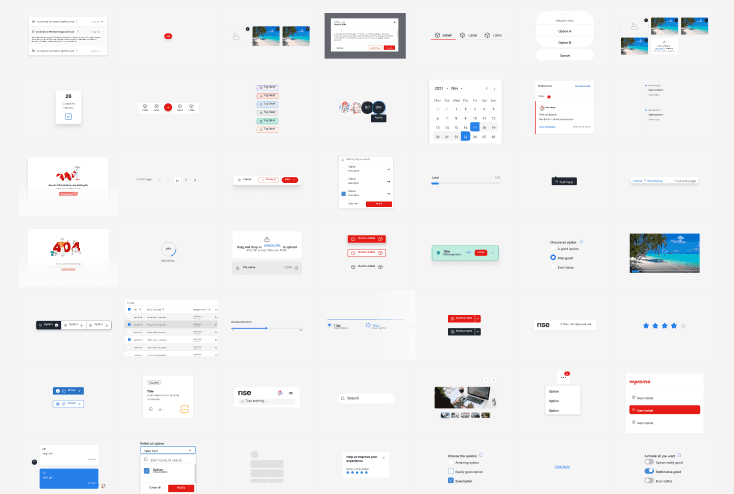
Led creation of foundations (tokens, typography, colors) and 60+ components.

-> Every aesthetic adjustment became a User Story in Jira
Every decision captured in Confluence — not as a snapshot, but as a living document any designer or developer could consult, question, or build on.
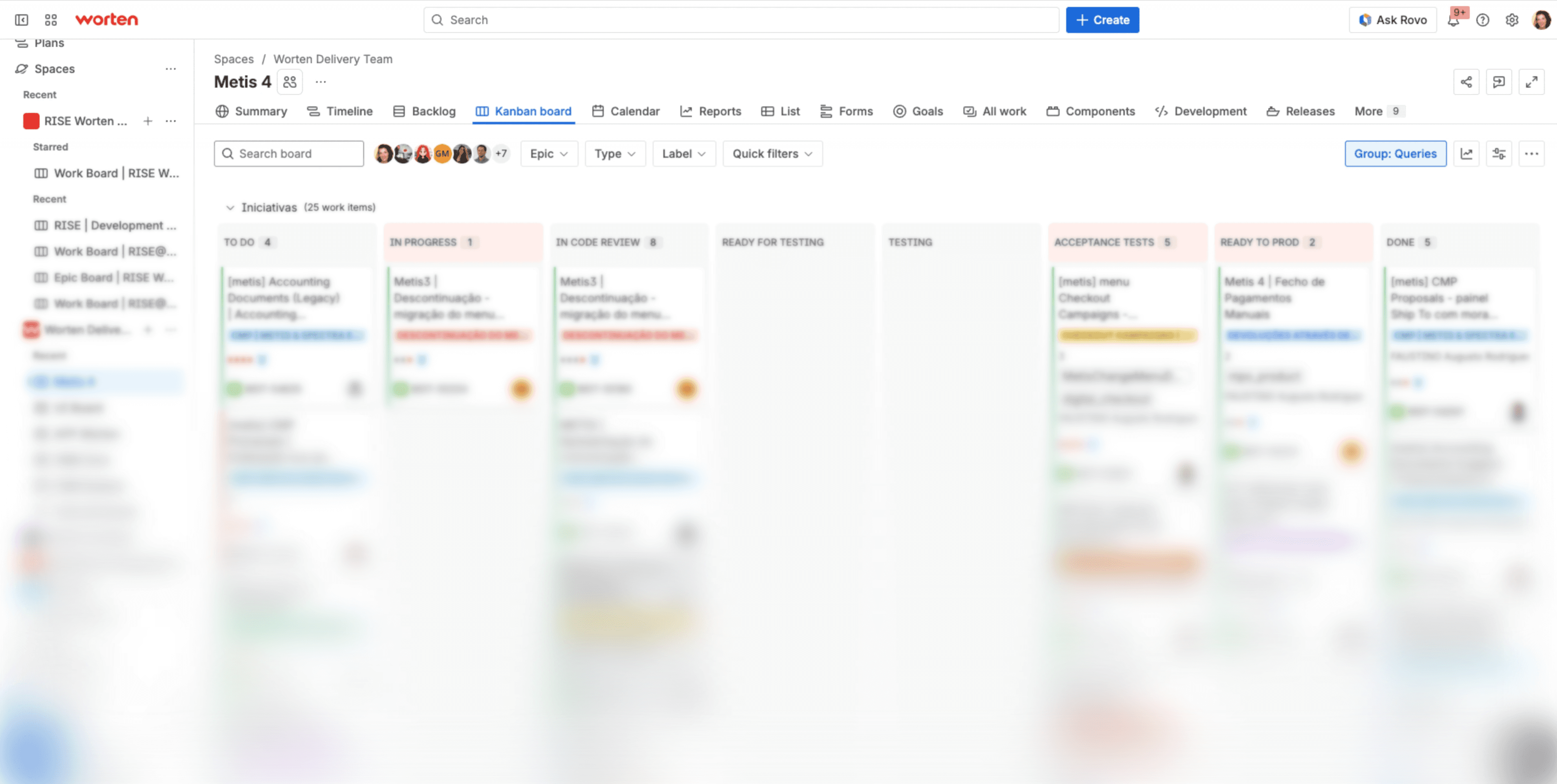
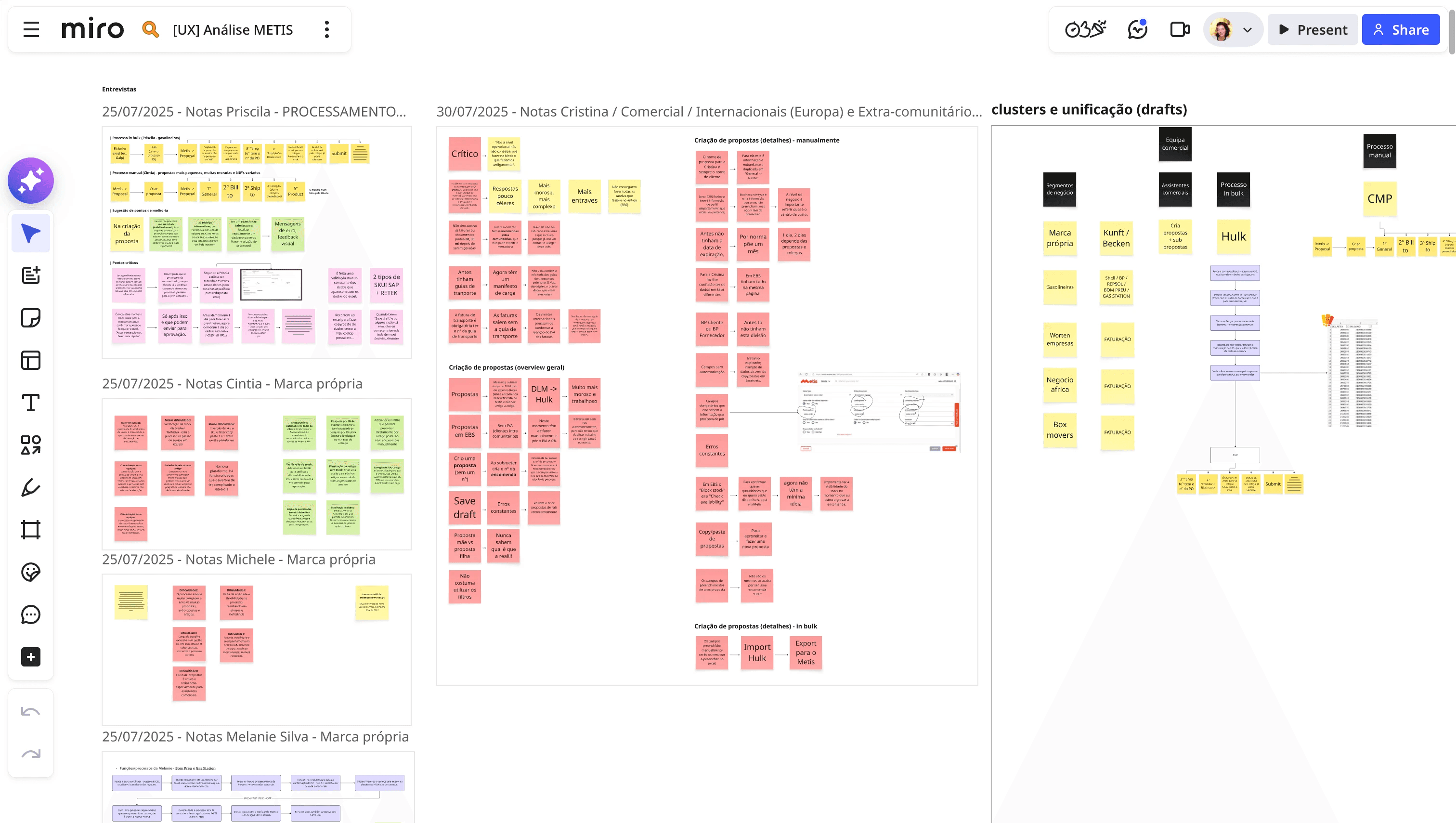
Jira Kanban board for the Worten Delivery Team showing  25 active work items across 8 columns: To Do (4),  In Progress (1), In Code Review (8), Ready for Testing,  Testing, Acceptance Tests (5), Ready to Prod (2), and  Done (5). Visible tickets include Documents Legacy  Accounting, Descontinuação migração do menu, Checkout,  Campanhas, Manuais, Pagamentos, and Proposals. The  board is actively used by a team of 7+ members visible  in the header, grouped by Queries and filtered by Epic,  Type, and Label.

Track 4: Building the knowledge infrastructure

The biggest risk in a platform as complex as Atlas isn't bad design. It's good design that disappears.

When dozens of teams build inside the same ecosystem, decisions made in one module get reinvented two sprints later in another. Without a shared reference point, consistency is impossible — not because people don't want it, but because they don't have the tools to find it. I built that reference point.

→ Product documentation in Confluence

Became the single source of truth for the entire Atlas ecosystem: product vision, domain overview, atomic components, UX principles, writing guidelines, and access profiles. Each section designed to be found, understood, and acted upon — not filed and forgotten.


For the atomic components — tables, forms, buttons, modals, alerts, filters, wizards, and 18 others — I documented not just how they look, but how they behave: states, accessibility rules, filter types, progressive loading patterns, fallback scenarios, keyboard navigation.

The kind of detail that stops a developer from making the wrong call at midnight.
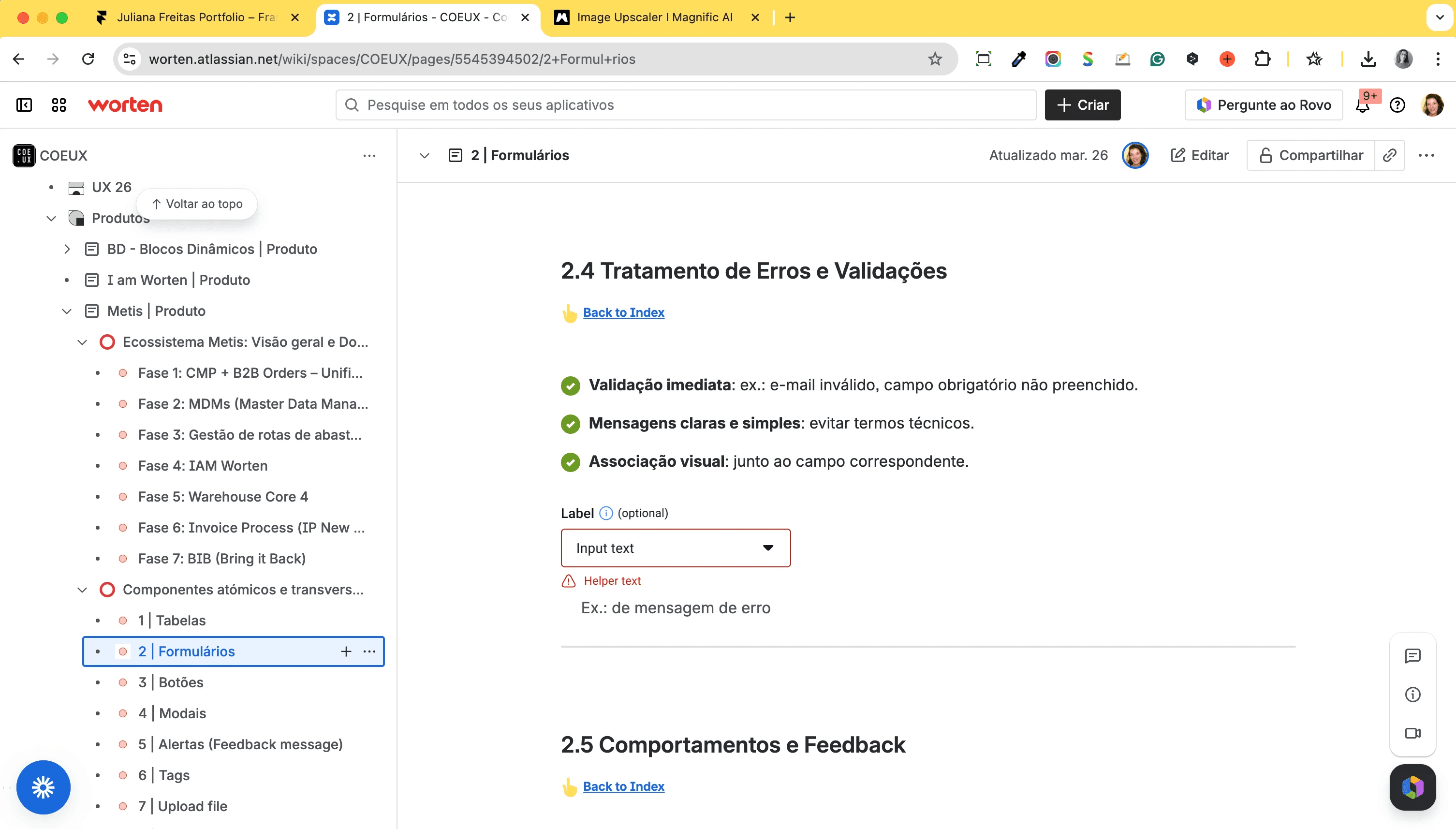
Confluence documentation page for atomic component  2 | Formulários, showing section 2.4 — Tratamento de  Erros e Validações. Three guidelines are defined:  immediate validation (e.g. invalid email, unfilled  required field), clear and simple messages avoiding  technical terms, and visual association next to the  corresponding field. Illustrated with a form input  component from RISE showing a Label field with an  Input text dropdown, a Helper text error state, and  an example error message placeholder. Part of the  atomic components documentation within the COEUX  space covering Tabelas, Formulários, and Botões.

__

The team

__

The team

__

The team

Atlas was built by a small, focused team working across research, design, and delivery simultaneously.

Atlas was built by a small, focused team working across research, design, and delivery simultaneously.

7 3 Product Designers

Research


UX Principles


Component design

Documentation


User stories

1 Lead Designer (me)


3 Senior / Mid designers


3 Junior designers


Each designer owns a different product domain within the Atlas ecosystem. Shared responsibilities across the team, applied independently to each area.

Translating design decisions into clear, actionable engineering deliverables.

3 Frontend Developers

Building in Vue.

Maintaining a Storybook component
library

Implementing RISE components consistently across the platform and ensuring design decisions are translated into scalable, reusable code.


3 OutSystems developers (initial

platform)


2 HTML/React developers (web

components)


1 React developer (current —
maintenance + new components +
project support)

Business logic developed independently by each area's own development teams — a distributed model that made governance and documentation non-negotiable from day one.

7 3 Product Designers

Research


UX Principles


Component design

Documentation


User stories

Each designer owns a different product domain within the Atlas ecosystem. Shared responsibilities across the team, applied independently to each area.

Translating design decisions into clear, actionable engineering deliverables.

3 Frontend Developers

3 OutSystems developers (initial

platform)


2 HTML/React developers (web

components)


1 React developer (current —
maintenance + new components +
project support)

Business logic developed independently by each area's own development teams — a distributed model that made governance and documentation non-negotiable from day one.

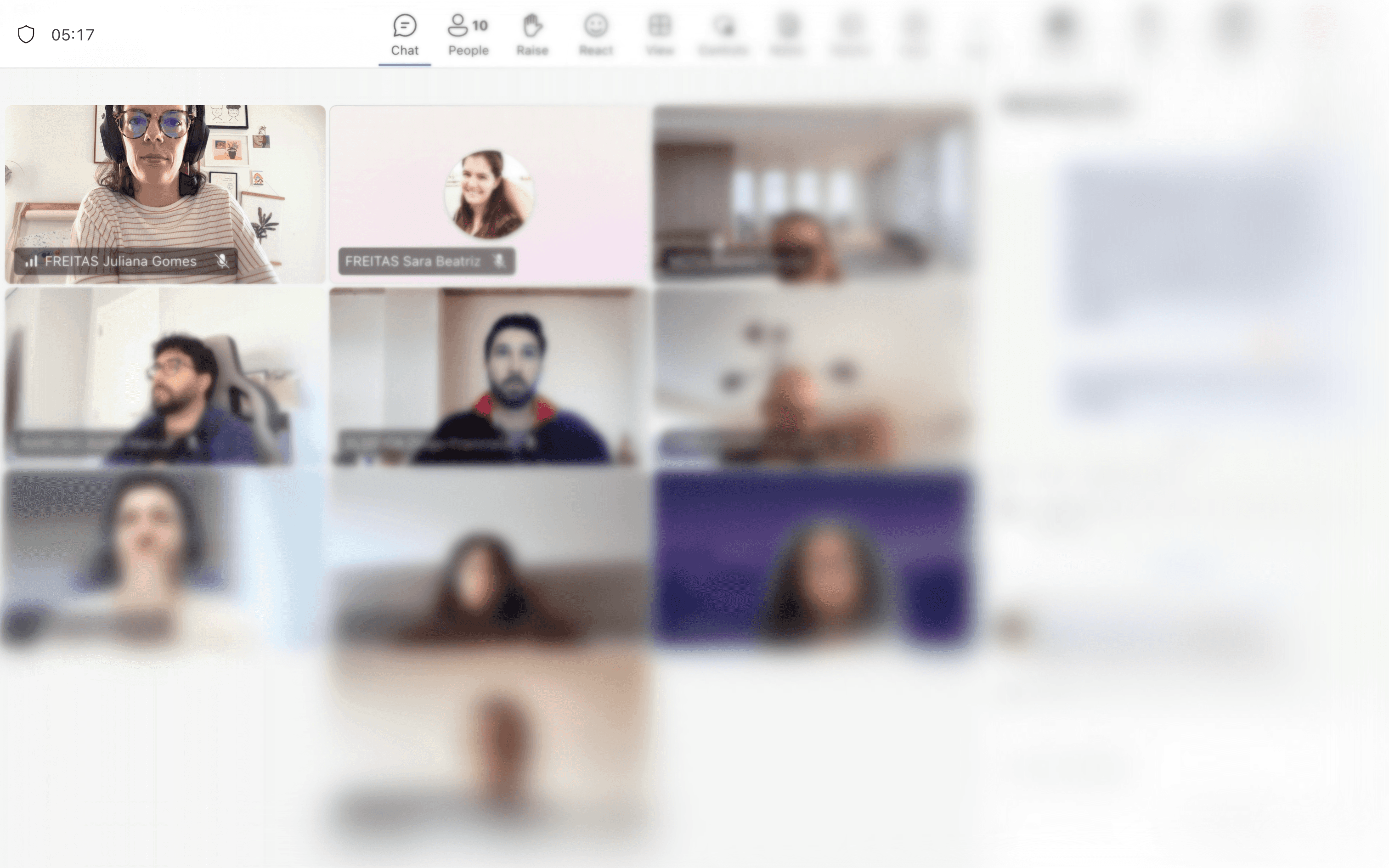
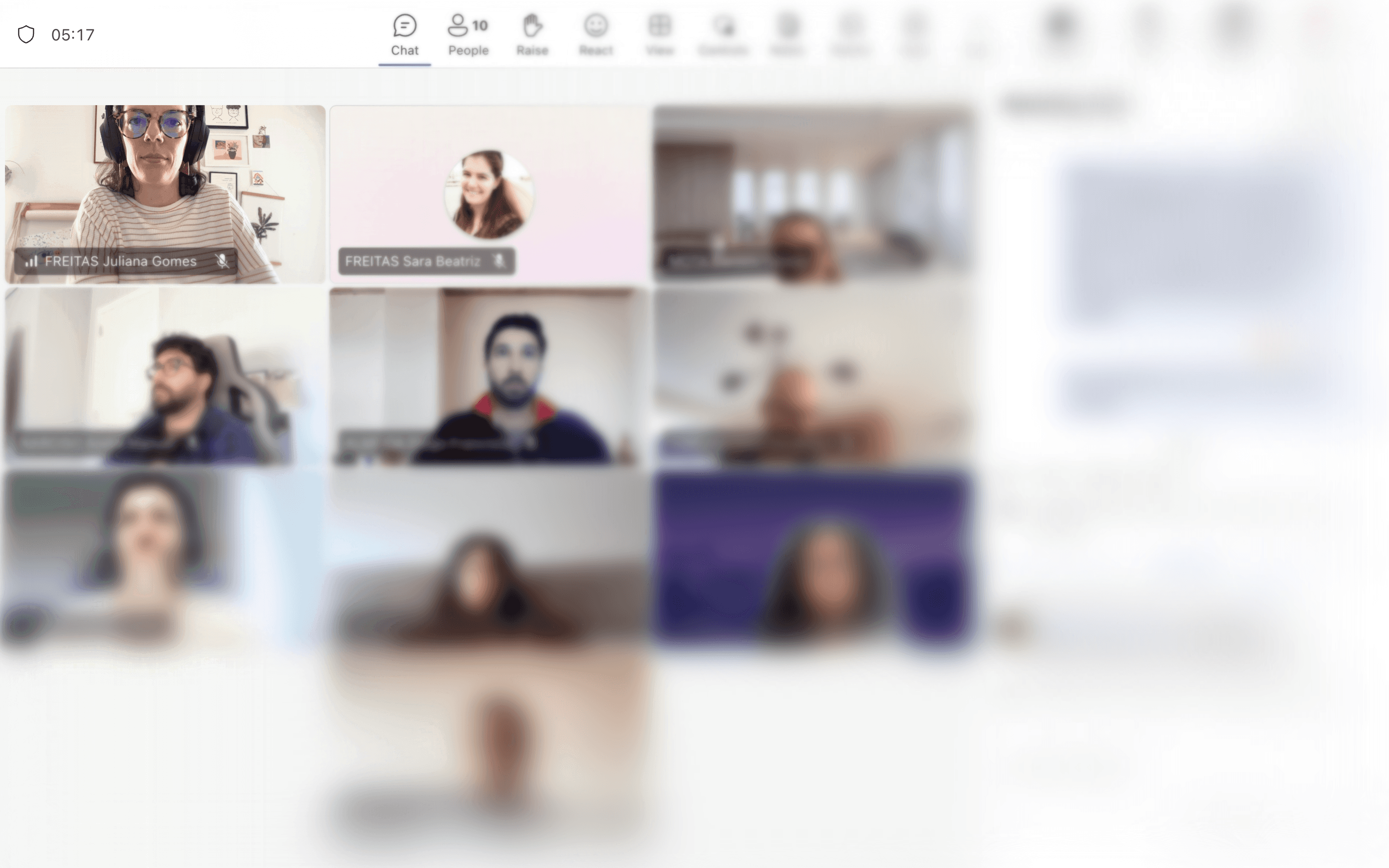
Microsoft Teams video call with 10 participants showing  a cross-functional sync session for the Atlas usability  initiative. Part of the regular agile sprint cadence  used to align designers, developers, and product  stakeholders on component decisions, usability  adjustments, and documentation progress.

__

How I work

Every new product or feature follows a defined lifecycle — from proposal to development. This ensures quality, consistency, and maintainability.

Understand the goal

1-2 weeks

Start with user pain points and product metrics. Define the exact problem before touching Figma.

7 Inputs

User research & pain points


Product metrics & KPIs


Business requirements

1 Lead Designer (me)


3 Senior / Mid designers


3 Junior designers


7Outputs

Problem statement


Success criteria


Scope delimitation

1 Lead Designer (me)


3 Senior / Mid designers


3 Junior designers


Tech alignement

1-3 days

Meet engineering early. Surface constraints, backend trade-offs, and what's feasible before any design work.

7 Inputs

Backend capabilities


Engineering capacity


Known constraints

1 Lead Designer (me)


3 Senior / Mid designers


3 Junior designers


7Outputs

Feasibility assessment


Technical trade-offs documented


Revised scope if needed

1 Lead Designer (me)


3 Senior / Mid designers


3 Junior designers


__

Where things stand

__

Where things stand

__

Where things stand

Atlas is a project in motion. The principles are set, and the documentation infrastructure is live and growing. The redesign is being implemented incrementally — module by module, sprint by sprint — guided by a roadmap that distinguishes between what we can fix now and what requires deeper structural change.

Research continues as new products and modules enter the ecosystem — each one bringing new patterns, new users, and new friction to understand.


For the first time, every team building inside Atlas has a shared reference, a common language, and a system they can actually use.


Atlas isn't finished. It's moving. And that's exactly where it needs to be.

Atlas is a project in motion. The principles are set, and the documentation infrastructure is live and growing.

The redesign is being implemented incrementally — module by module, sprint by sprint — guided by a roadmap that distinguishes between what we can fix now and what requires deeper structural change.

Research continues as new products and modules enter the ecosystem — each one bringing new patterns, new users, and new friction to understand.


For the first time, every team building inside Atlas has a shared reference, a common language, and a system they can actually use.


Atlas isn't finished. It's moving.

And that's exactly where it needs to be.

Annotated laptop mockup showing the Atlas Returns detail  page with five RISE components called out: Header (top  navigation bar with search), Heading crumbs (breadcrumb  trail Home › Returns › RE260006651307), Table Lifecycle  (horizontal timeline tracking the full return journey  across Return initiated, Received, Inspected, Pending  analysis, Refunded outside BIB, Refund authorised,  Final destination, Stock movement execution, Shipped to  destination, Received, Refunded, and Closed), Wizard  (left navigation with Summary, Incidences, and Logistics  steps), Accordion by section (Customer details and Sale  details collapsible panels), and Error 403 state  (illustrated access restriction with Go back and Try  again actions) — demonstrating RISE components applied  at full product scale inside Atlas.

__

Ready for the next long-term challenge?

If our goals align, I’d love to meet the team.

__

Ready for the next long-term challenge?

If our goals align, I’d love to meet the team.

__

Ready for the next long-term challenge?

If our goals align, I’d love to meet the team.

Copyright 2026 by Juliana Freitas

Copyright 2026 by Juliana Freitas

Copyright 2026 by Juliana Freitas